
Two different jobs
What M3U and XMLTV provide
An M3U playlist normally supplies channel names, stream addresses, groups, and sometimes logos or guide identifiers. XMLTV supplies scheduled program information such as titles, start and end times, episode details, and descriptions.
A playlist can work without XMLTV, but the electronic program guide may show channels without detailed program listings. XMLTV can add those listings only when its channel identifiers match the playlist data closely enough.
Requirements: Use only playlist and guide sources you are legally authorized to access. SluiceBox does not provide or sell M3U playlists, XMLTV services, channels, or media subscriptions.
Set up an M3U URL.
- Open SluiceBox source setup and choose M3U + XMLTV or M3U URL.
- Enter the complete M3U playlist address. Playlist URLs can be long, so verify the beginning and end before continuing.
- If your source includes a separate XMLTV address, enter it in the optional XMLTV URL field.
- Review the information and save the source. SluiceBox validates the playlist before adding it.
- Allow the initial channel and guide import to complete.
Both HTTP and HTTPS source addresses are supported when the remote server permits access. SluiceBox can detect common address forms, but it cannot correct an expired token, inactive account, blocked host, or malformed playlist.
Use a local M3U file.
Choose Local File when the playlist is already stored on the TV device or attached storage. Use the system file picker to browse accessible folders and select the M3U file. If you also have a local XMLTV file, select it in the optional guide field.
- Common playlist extensions include
.m3uand.m3u8. - XMLTV data is commonly stored as
.xmlor a compressed XML file supported by the source workflow. - Android controls which folders and attached drives the system picker exposes to an app.
- If a file is replaced or moved, reopen the source settings and select the current file.
How channels receive program listings
SluiceBox matches guide records to playlist channels using the identifiers and metadata supplied in both files. The most reliable result comes from an M3U and XMLTV pair issued together by the same authorized source.
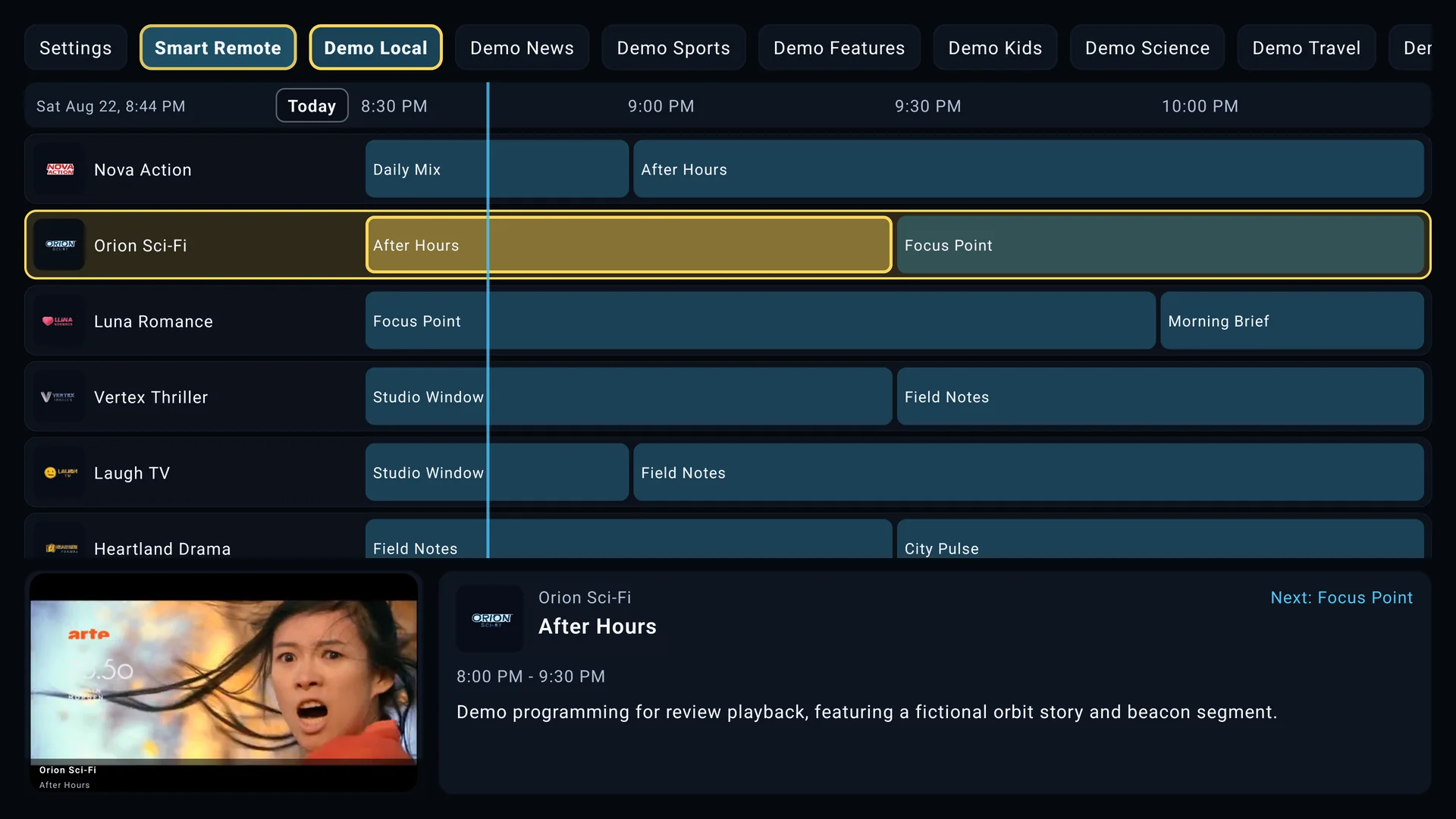
If a channel plays but has no program information, compare its guide identifier in the playlist with the corresponding XMLTV channel identifier. Differences in punctuation, capitalization, prefixes, or missing IDs can prevent a match. A time offset setting can correct guide times, but it cannot create missing listings.
Troubleshoot an M3U or XMLTV source.
The playlist cannot be reached
Check that the complete address was entered, including any token or query parameters. Test whether the source is currently online and whether the television network, DNS settings, or VPN can reach it.
The playlist imports with no channels
The remote response may be empty, expired, an HTML error page, or a format other than M3U. Confirm the same URL returns a valid playlist and has not exceeded its connection limit.
Channels work but the guide is empty
Confirm XMLTV data was supplied, loads successfully, and contains matching channel identifiers. If every listing is shifted by the same amount, use the EPG time offset rather than editing the source file.
Keep embedded credentials private
Many M3U URLs contain a username and password. Never post the full URL in screenshots, public messages, reviews, or support forums.